DOCKET
CALENDAR
Make the Switch
Our service temporarily is impacted by Microsoft Azure outage. We are actively monitoring for restoration. Thank you for your patience.
For Current Outlook Add-In Users
You've adapted to the add-in's quirks.
You don't have to.
The workarounds you've accepted as normal—inbox rules, lingering canceled events, disabled add-ins—aren't necessary. There's a better way.
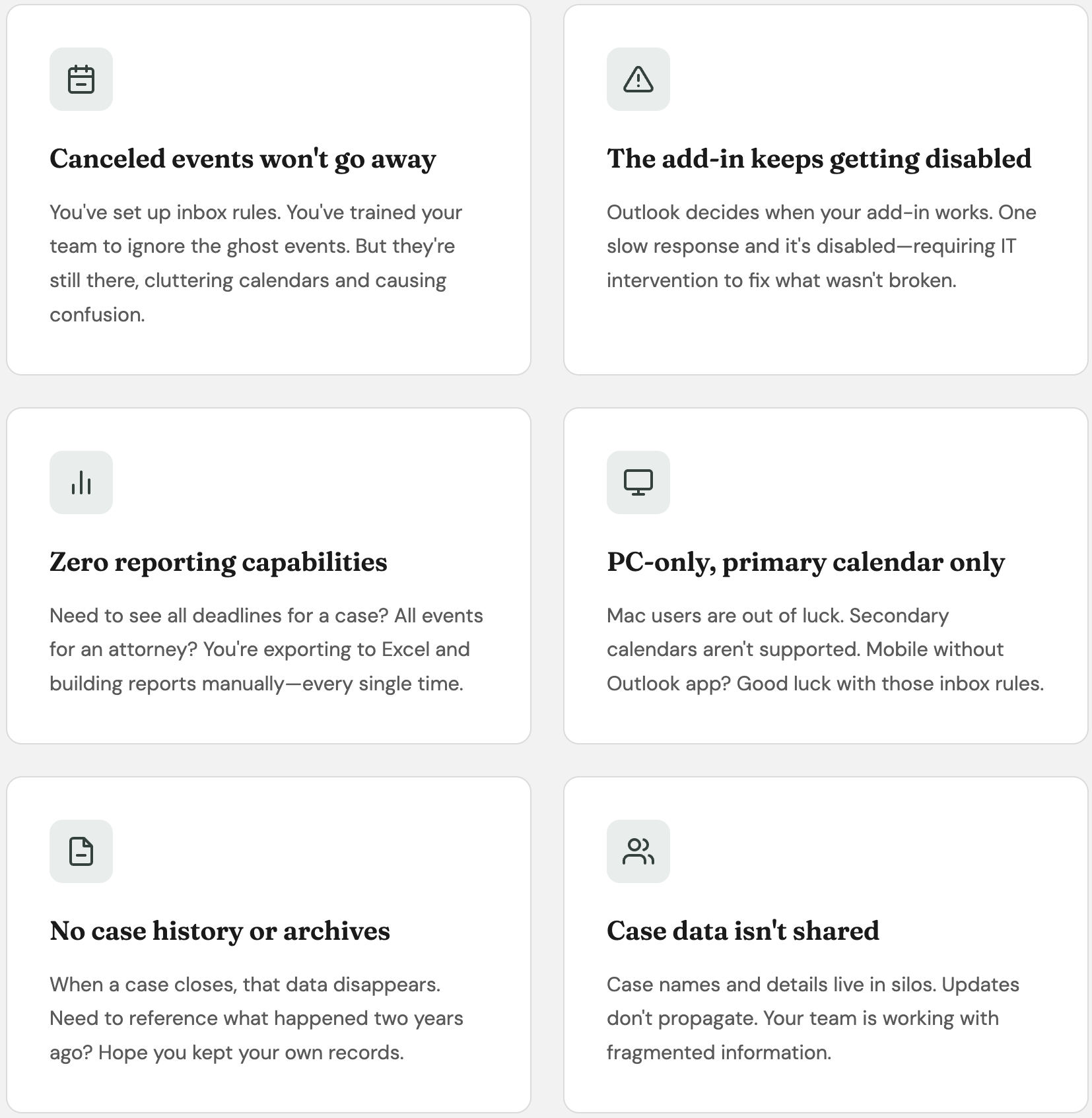
Sound familiar?
These problems aren't just inconveniences—they're time and reliability you're losing every day.
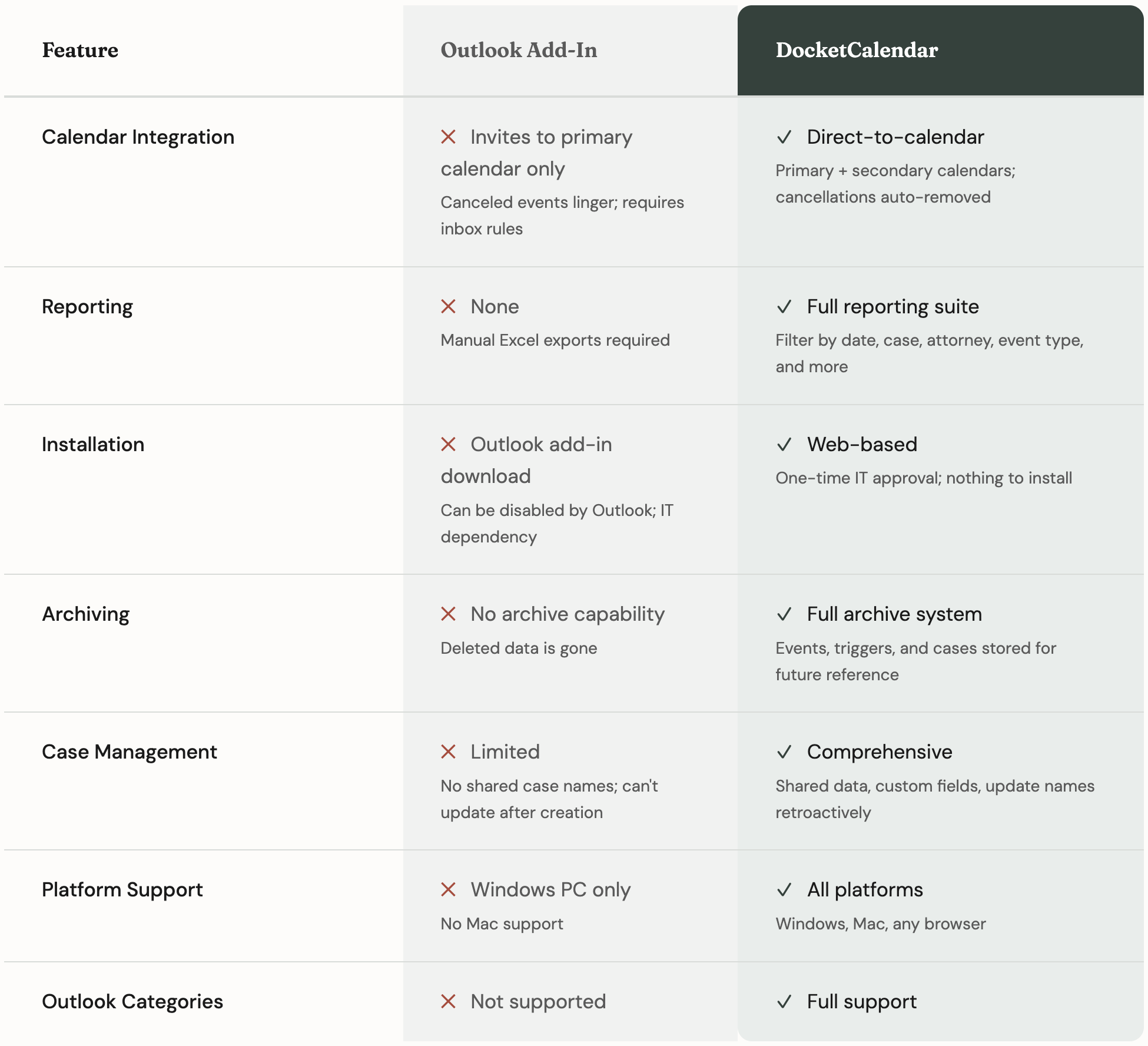
The complete picture
A side-by-side look at what changes when you upgrade.
Making the switch is simpler than you think
We know change is hard—especially when your current process technically works. Here's what the transition actually looks like.
1
Quick onboarding call
We'll walk through your current setup and configure DocketCalendar for your firm's specific needs.
2
Connect your calendars
One-time authorization connects DocketCalendar directly to your Outlook or Google calendars.
3
Switch with zero disruption
Your existing calendar data stays put. New events flow through DocketCalendar—your team can switch gradually at their own pace.
4
Retire the add-in
Once you're comfortable, simply uninstall the add-in. No complicated migration needed.
Ready to leave the workarounds behind?
Your current process works. DocketCalendar works better.